Photo Transfer App for Windows
Receive photos and videos on your Windows PC from any phone or tablet — over WiFi or a USB cable. No iTunes needed.
Step 1: get the app on this iPhone or iPad

Step 1: get the app on this Android device

Step 2: get the free Windows app on your PC

Free: up to 5 photos or videos per batch. PRO: unlimited items per batch. Full resolution in both.
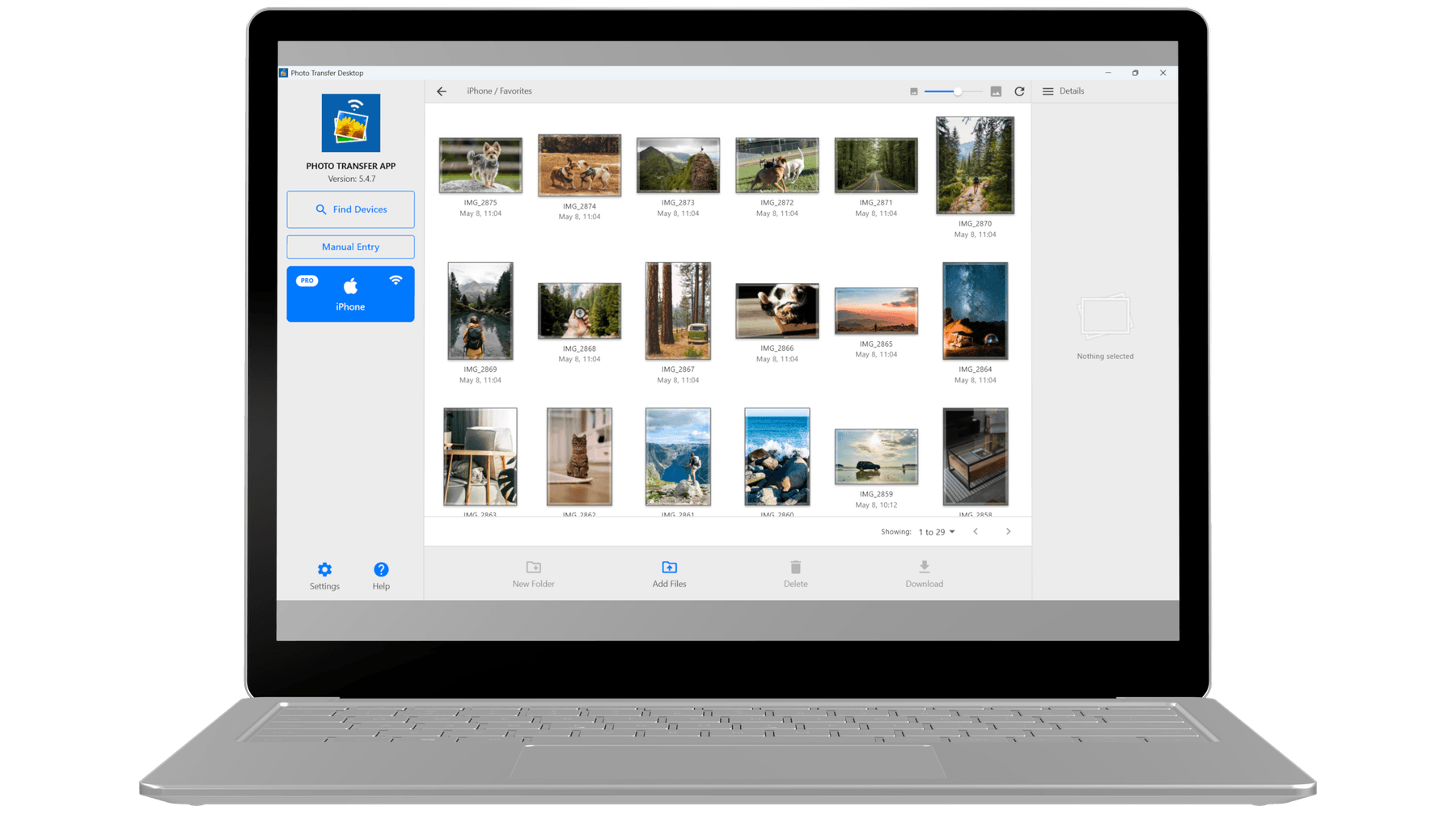
Built for Windows
Photo Transfer for Windows is distributed through the Microsoft Store — code-signed and auto-updating, with no SmartScreen warnings or admin prompts. It runs on Windows 10 and 11 PCs with x64 processors and saves received photos to any folder you pick. No iTunes, no MTP drivers.
No iTunes, no MTP drivers
Over WiFi, just install Photo Transfer — no iTunes, no Apple Mobile Device Support, no MTP drivers. Prefer a cable? iPhone and iPad connect over USB with Apple's free Apple Devices app; Android phones use USB tethering.
Trusted Microsoft Store app
Distributed through the Microsoft Store: certified by Microsoft, code-signed, and updated automatically. It installs without admin rights, and SmartScreen shows no unknown-publisher warnings.
Windows 10 and 11
Runs on Windows 10 (version 1809 and later) and Windows 11, on PCs with Intel or AMD (x64) processors.
Save to any folder
Pick your Pictures folder, OneDrive, an external drive, a network share — wherever you want received photos to land. No hidden app cache you have to hunt for later.
WiFi or USB cable
Transfer over your local WiFi, or plug your phone in with a USB cable when there's no shared network. Either way, photos go straight to your PC — nothing is uploaded to our servers.
Works with every phone
iPhone, iPad, Android phones, Android tablets — all transfer to your Windows PC the same way. One workflow, no matter which phone the photos are coming from.
How it works on Windows
Three steps, no account needed.
- 1
Install from the Microsoft Store
Free download. One click from the Microsoft Store — no admin rights, no SmartScreen warnings, no cleanup if you change your mind.
- 2
Open the app on your phone and PC
Launch Photo Transfer on both devices. On the same WiFi network they find each other automatically — no pairing, no codes. No shared network? Connect them with a USB cable.
- 3
Pick photos and receive
Select photos and videos on your phone, choose a folder on your PC, and transfer them at full resolution, with EXIF data, GPS location, and timestamps preserved.
System requirements
- Windows version
- Windows 10 (version 1809 or later) and Windows 11
- Architecture
- x64 (Intel and AMD processors)
- Network
- Local WiFi network shared with the phone, or a USB cable (iPhone and iPad need the free Apple Devices app; Android uses USB tethering)
- Permissions
- Local Network access — no account, no cloud storage required
- Price
- Free on the Microsoft Store, with nothing to buy on the PC. PRO, bought in the phone app, also removes the batch limit for transfers with your PC.
- Languages
- English, German, Spanish, French, Simplified Chinese, Traditional Chinese
Frequently asked questions
Common questions from Windows users.
Do I need iTunes to transfer iPhone photos to my PC?
Can I transfer over a USB cable instead of WiFi?
Does it work on Windows 10?
Does it work on ARM Windows devices like the Surface Pro X?
Where do my photos go after a transfer?
Will I know when a transfer finishes?
How is this different from Phone Link (Your Phone)?
Is the Microsoft Store version safe and auto-updated?
Does the free version have any limits?
Guides for Windows
Step-by-step walkthroughs for the most common transfer scenarios.
Your photos belong to you.
Move them freely.
3M+ total downloads. Move photos and videos between your devices over local WiFi.
Free: up to 5 photos or videos per batch. PRO: unlimited items per batch. Full resolution in both.