
Devices

TRANSFER Photos & Videos FROM your iPad to another iDevice

Note: To transfer photos & videos between two devices both of them must have this application installed and running.
Make sure that both devices are connected to the same Wi-Fi network.
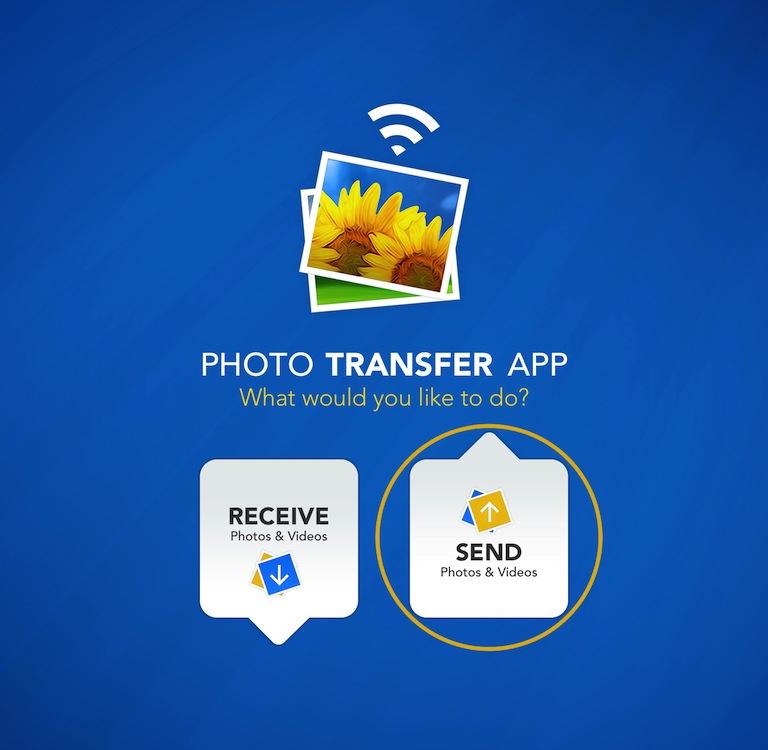
Photo Transfer App

1 Open 'Photo Transfer' app and touch "SEND" button.
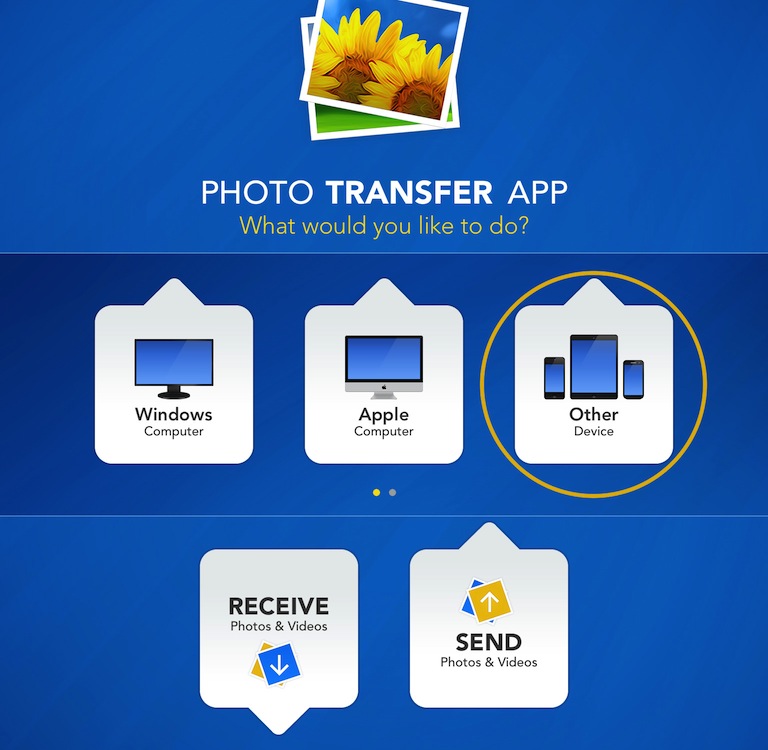
 

Photo Transfer App

2 Touch the "ANOTHER Device" button.


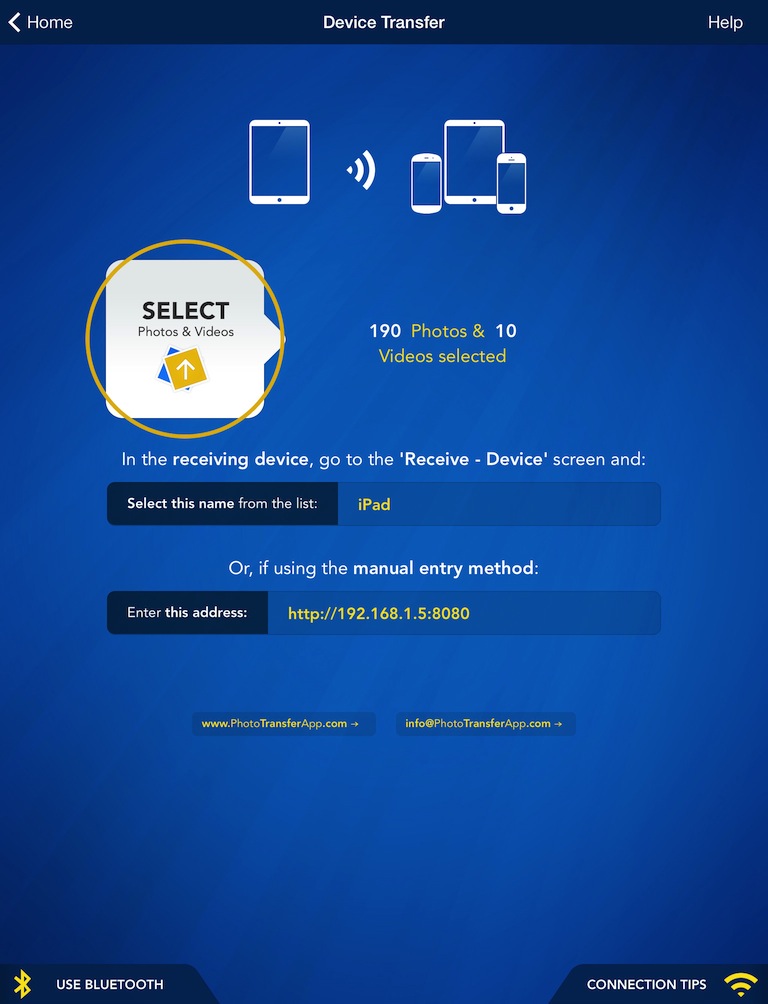
Photo Transfer App

3 SELECT the photos/videos you want to transfer by tapping the "SELECT" button.


On the RECEIVING Device:
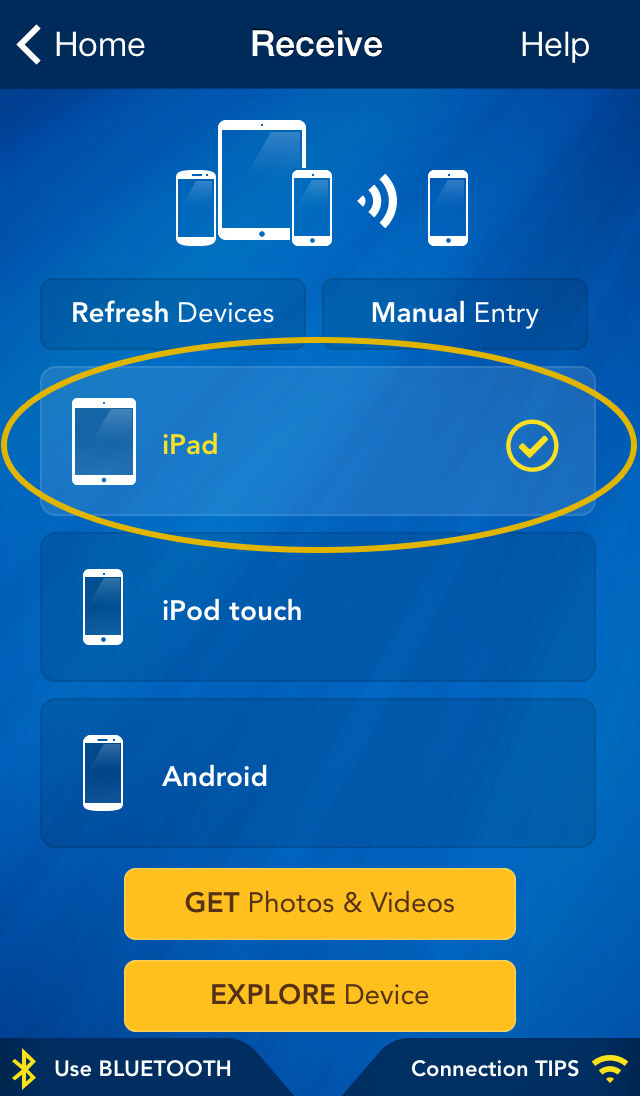
Photo Transfer App

1 Use the "REFRESH Devices" button on the receiving device to find the sender on the network.

2 Select device you want get photos and videos from.

3 Tap "GET Photos & Videos" button to start transfer.

Done !

If the devices are not detecting each other please read this: Connecting Devices.

To view the photos or videos you transferred, open the 'Photos' app on the receiving device.

iPad

PHOTO TRANSFER APP

for iPad & iPad mini
Transfer photos from this iPad to your Apple Computer
Transfer photos from iPad to Apple Computer
Transfer photos from this iPad to your Windows Computer
Transfer photos from iPad to Windows Computer
Transfer photos from your Apple Computer to this iPad
Transfer photos from Apple Computer to iPad
Transfer photos from your Windows Commputer to this iPad
Transfer photos from Windows Computer to iPad
Transfer photos from this iPad to another iDevice
Transfer photos from iPad to another iDevice
Transfer photos from an iDevice to this iPad
Transfer photos from an iDevice to iPad
Transferring over Bluetooth
Transfer from iDevice to iDevice over Bluetooth
EXPLORE another iPad from this iPad
Explore & Transfer photos from iPhone / iTouch to iPad
Transfer photos from this iPad to another iDevice
Explore & Transfer photos from another iPad to this iPad
Problems connecting from computer
Problems connecting from Computer
Problems connecting between devices
Problems connecting between Devices
Creating Ad-Hoc Network on Mac Computer
Note: iDevice refers to an iPad, iPhone or iPod Touch
Visit our community
support pages

for Apple Devices for Android
Help Pages

NEED HELP?